
Out of all the Shopify stores I work with, bookstores give me the clearest clues about what a buyer wants next. A reader who picks a crime thriller has already told you their taste, and a student who adds a physics guide to the cart has already told you which exam is coming up. Very few products hand over that much information at the exact moment of purchase.
Yet when I open a Shopify bookstore’s product page, the space under the add to cart button is often empty, or filled with bestsellers that have nothing to do with the chosen book.
Books sell at low prices and thin margins, and the delivery charge on a single paperback can feel almost as heavy as the book itself. A second title in the same order makes that shipping cost feel worth it for the reader and makes a real difference to what the Shopify store earns.
In this blog, I am sharing the upsell strategies I trust for Shopify bookstores and how you can set them up without annoying your readers:
What Upselling Actually Looks Like in a Shopify Bookstore
Upselling in a Shopify bookstore means suggesting one more item to a reader who is already buying a book. The suggestion can be a better version of the same book, like a hardcover instead of a paperback, or a related book, like the next title in a series. Either way, the reader should be able to see right away why the suggested item fits with their order.
Books are also different from most products sold on Shopify because a bookstore can have thousands of titles. You cannot pick suggestions for each book by hand, so the suggestions have to come from rules, like “show other books by the same author” or “show the next book in this series.”
These rules only work when every book has its author, series, genre and exam or class tagged the same way. If one book lists the author as “R.S. Aggarwal” and another as “RS Aggarwal,” the Shopify app treats them as two different authors and the suggestion never shows. So good upsell strategies for bookstores start with clean product data, not with the offer itself.
Whichever offer you pick, it should feel like it came from the book the reader chose. That is why I always personalize upsells based on cart contents instead of showing the same suggestions to every reader.
| Offer type | What it means | Bookstore example |
| Upsell | A better or bigger version of the same item | Box set instead of book one alone, hardcover instead of paperback |
| Cross sell | A different item that goes with the purchase | Bookmark, book light, another book by the same author |
| Bundle | Several items sold together at one price | Full exam prep set, age wise picture book set |
Why Book Buyers Respond Well to the Right Upsell
Book buyers like to browse. In a physical bookshop, it is very common to pick up one more book from a nearby shelf before reaching the billing counter, and that habit does not go away when the same person shops online.
A Shopify bookstore has no shelves around the book, so a well placed suggestion does the job that nearby shelf used to do. When the suggestion is close to what the reader already picked, it feels like help, not selling.
Many book purchases also come with a clear goal. A student has a syllabus to cover, a parent has a school reading list, and a gift buyer has a person and an occasion in mind.
These readers are not shopping for one book, they are trying to finish a task, so a suggestion that helps them complete it saves them time. In my experience, bookstore upsell strategies work best when they are built around these goals, because the reader already knows they need more than one book.
| Type of book buyer | What this buyer usually needs next | Offer that fits |
| Series reader | The next volume, or the whole series | Next book suggestion, series bundle |
| Student or exam aspirant | The rest of the syllabus set | Guide plus papers plus practice sets |
| Gift buyer | Help choosing, a gift ready package | Gift bundles, gift wrap, hardcover upgrade |
| Parent | Books for the same age group, often for two kids | Age wise sets, “pick 3” offers |
| Collector or fan | A better edition | Special edition, signed copy, box set |
Upsell Strategies for Bookstores I’ve Seen Work on Shopify Stores
I have tried many types of offers on Shopify bookstores, and the ones that work best all have one thing in common. Each offer answers a question the reader already has, like “what should I read next?” or “what else do I need for this exam?”
Not every strategy will suit every Shopify bookstore. If your Shopify store mostly sells exam books, book pairs and free shipping offers will work better for you. If it mostly sells fiction, series bundles and hardcover upgrades will work better.
Below are the eight best bookstore upsell strategies I keep using. Some take a few minutes to set up, while others need a few weeks of planning:
| Strategy | Works best for | Setup effort | Where it shows |
| Series bundles | Fiction, fantasy, children’s series | Medium | Product page |
| Frequently bought together | Exam books, workbooks, textbooks | Medium | Product page, cart |
| Same author and genre | Readers with a clear taste | Needs clean data | Product page |
| Edition upgrades | Gift buyers, fans | Low | Product page |
| Small add ons | Almost every order | Low | Cart or Cart drawer |
| Free shipping threshold | Single book orders | Low | Cart or Cart drawer |
| Gift bundles | Festivals, exams, school season | High, seasonal | Collection pages, product page |
| Post purchase offers | Second order, repeat readers | Medium | After payment, email |
Series Bundles That Sell the Next Book Before It’s Searched
Series bundles work best when the reader can see the saving clearly. I show it right next to the bundle, like “Buy all 4 books and save ₹200.” I also place the bundle on the pages of every book in the series, not just book one.
Many readers land on the page of book two or three because they read the earlier books online or borrowed them from a friend, and now they want the full set in print.
Some are buying the whole series as a gift. Showing the bundle on every page lets these readers buy the complete set in one go. Before switching any series bundle on, I check these points:
- Reading order: Some series are sold in the order they were published and some in story order. The bundle should follow the order readers expect for that series.
- Stock of every book: If one book in the bundle is out of stock, the order either fails or ships incomplete. Hide the bundle when any book in it is out of stock..
- Same edition: All books in the bundle should be in the same format, either all paperback or all hardcover, so the set looks right on a shelf.

“Frequently Bought Together” Built Around Reading Habits
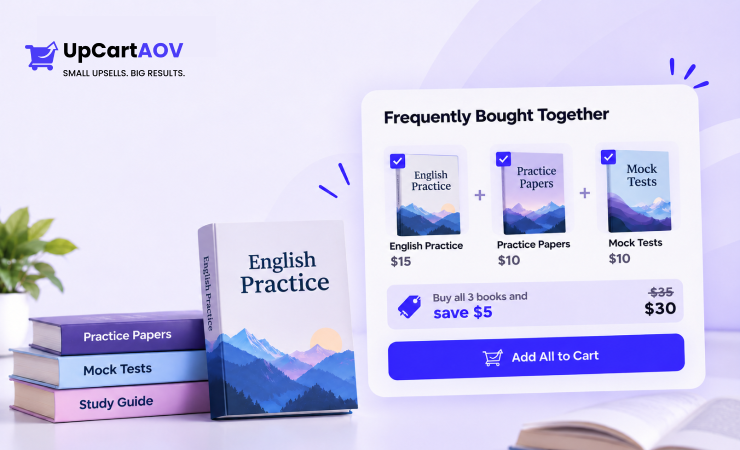
A “Frequently Bought Together” section shows items that other buyers purchased along with the current book. In a Shopify bookstore, the strongest pairs come from real reading needs rather than popularity, such as an exam guide sold with solved papers or a grammar book sold with its workbook.
Automatic recommendations need order history to work, and a new Shopify bookstore with a few hundred orders does not have enough data for an algorithm to spot meaningful pairs. My preference is to set manual pairs for the top selling titles first, let automatic suggestions cover the rest of the catalog later, and review exam related pairs every few months, because a syllabus change can quietly turn a good pair into a wrong one.
Not every book has a clear pair like this. For those titles, a “You May Also Like” section with similar books usually works better, and knowing the difference between frequently bought together vs you may also like helps you choose the right one for each book.
| Main book | Pair that makes sense |
| Exam guide | Solved previous year papers, mock test book |
| Grammar textbook | Matching workbook or answer key |
| Language learning book | Dictionary or phrase book |
| Picture book for age 3 to 5 | Two more picture books for the same age |
| Popular self help title | A journal or notebook |
Cross Selling With Same Author and Same Genre Recommendations
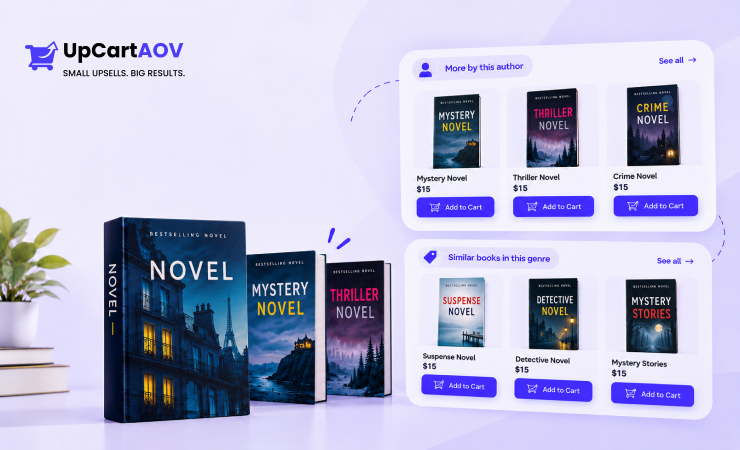
Same author and same genre recommendations suggest other books by the writer the reader has chosen, or titles from the same category.
These suggestions suit readers who are not following a series but clearly have a taste, like someone who buys every book by one thriller writer.
You can set them up with one of the many related products apps for Shopify, and once they are live, every book page will point the reader to their next pick.
Product data decides whether author and genre recommendations work at all. If an author’s name is spelled two ways across listings, the rule treats them as two different authors and the suggestions disappear, and a broad tag like “Fiction” covers half the catalog while “Historical Fiction” actually narrows things down. Before turning these recommendations on, I get these fields cleaned up:
- Author name: One spelling, stored in a product metafield, which is a custom data field Shopify lets you add to each product
- Genre: A fixed list of narrow tags, not free text typed differently each time
- Format: Paperback, hardcover, ebook or box set
- Age group: For children’s and young adult books
Upselling With Hardcover, Box Set and Special Edition Upgrades
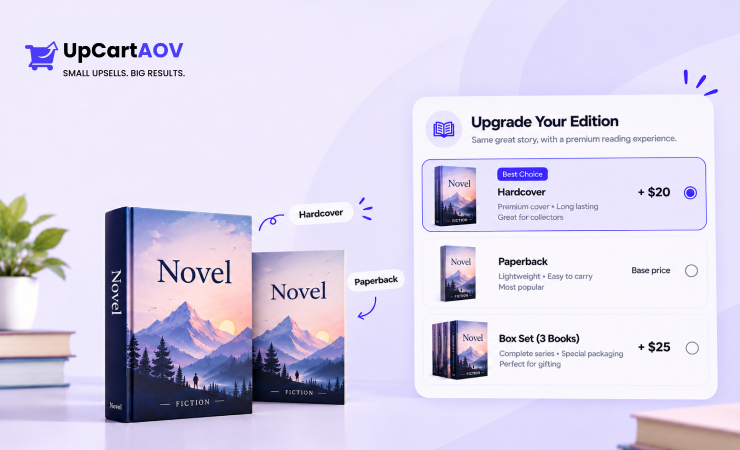
An edition upgrade is a true upsell, where the reader gets the same book in a better format for a higher price. The price difference should be shown plainly, like “Hardcover for ₹250 more,” so the reader does not have to open two product pages to compare.
How you set up an edition upgrade depends on how your books are listed in Shopify. If the paperback and hardcover are listed as options of the same product, the reader can switch between them on the product page with one click.
If they are listed as two separate products, you need to link them yourself or use a Shopify app that can show one product as an offer on the other product’s page.
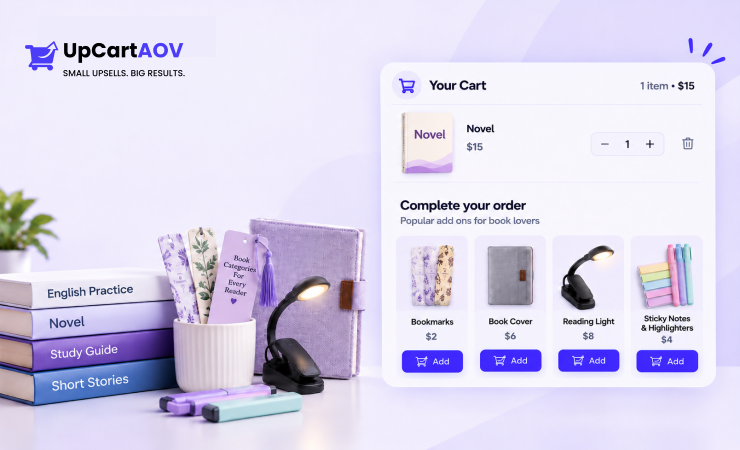
Small Add Ons at Checkout: Bookmarks, Covers, Book Lights
Bookmarks, book covers and reading lights are small, low priced items that a reader can add to the order without much thought. Of all the upsell ideas for bookstores, these add ons are the easiest to start with, because the same few items go well with almost every book.
Two things decide which add ons to show: price and weight. Keep the price low compared to the cart total, so the reader adds the item without stopping to think. Keep the item light, because a heavy add on can raise the shipping cost and take away the extra profit.
I keep the add ons in the cart to a small row of three or four items that go with the book in the order. A short, related row is easy to scan and pick from, while a long list of random items makes the reader start browsing again and delays checkout.
| Add on | Fits best with |
| Bookmarks | Any order, especially fiction |
| Book covers or sleeves | Hardcovers, gifts, children’s books |
| Clip on reading light | Fiction readers, gift orders |
| Reading journal | Self help, literary fiction |
| Tabbed sticky notes and highlighters | Exam and study books |
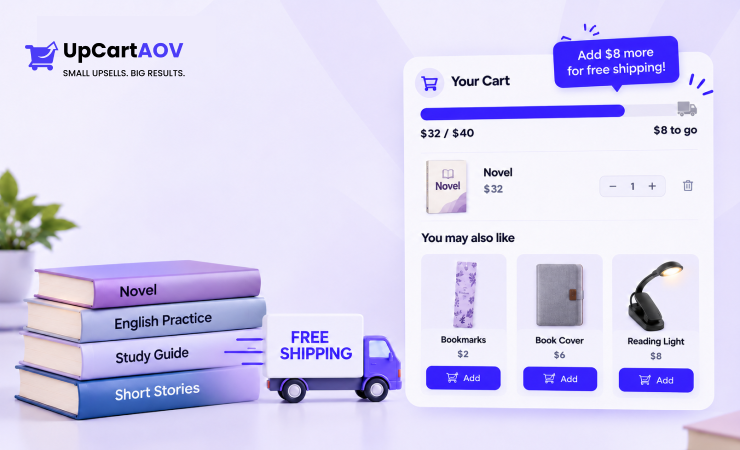
Free Shipping Thresholds Set From Real Order Values
The free shipping threshold is the minimum cart amount a reader has to reach to get free delivery. For example, if your threshold is ₹599, any order of ₹599 or more ships free. When I set this amount for a Shopify bookstore, I start with the average order value, which is total sales divided by the number of orders in the same period.
Then I check it against the shipping cost per parcel and the profit on each book. I aim for a threshold a little above the average order, so readers need to add one more item to reach it, while the Shopify store still makes a profit after paying the courier.
Knowing how to calculate AOV the right way keeps this number accurate, so the threshold you set matches what readers really spend.
Gift Bundles for Festivals, Exams and School Season
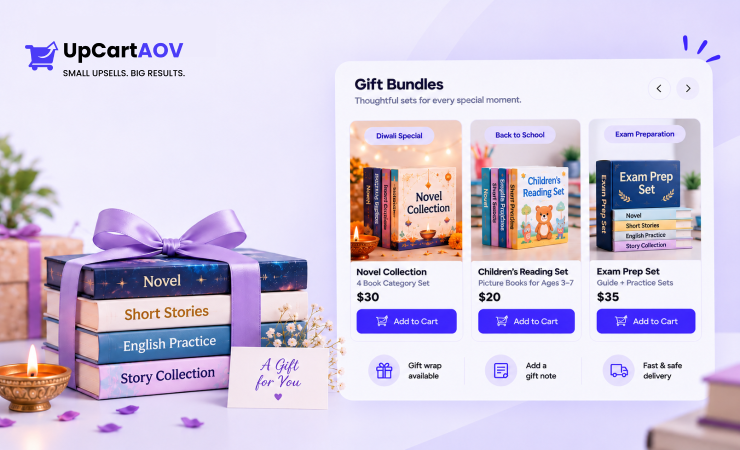
Gift bundles are ready made sets of books put together for an occasion. Seasonal sets are among the most practical upsell ideas for bookstores, because the buyer already has a reason to buy more than one book, and the Indian calendar gives a Shopify bookstore plenty of these moments.
Timing is the most important part of a gift bundle. If a Diwali bundle goes live in the week of the festival, it is already late, because many people order gifts early so they arrive on time.
I also make gift bundles only from books that are already in stock and selling well. That way, if some bundles do not sell, I can still sell those books one by one after the festival.
Finally, I add a gift note option and gift wrapping, so the bundle feels like a proper gift when it reaches the person.
| Occasion | Bundle idea | When to have it live |
| Diwali and festive gifting | Boxed fiction sets with gift wrap | Four to six weeks before the festival |
| Raksha Bandhan | Books for siblings by age | Three to four weeks before |
| Children’s Day (14 November) | Picture book and early reader sets | By late October |
| New school session | Class wise reading lists with stationery | A month before the session starts |
| Board and entrance exams | Guide, previous year papers and practice sets | Two to three months before exams |
Post Purchase Offers for the Second Order
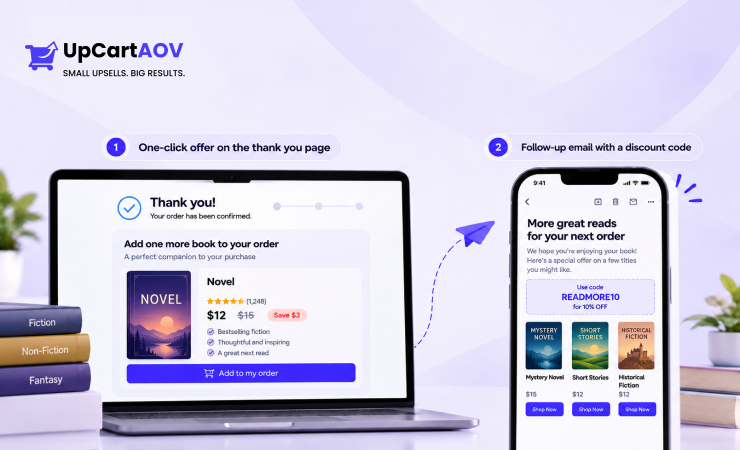
After a reader pays, I like to show one more offer, either on the thank you page or in an email a few days later. This is called a post purchase offer. Because the payment is already done, the reader is relaxed and can look at the offer without worrying about the first order.
The offer only works if it makes sense for that reader. I never show a book that is already in the order, a book the reader has bought before, or a book that is out of stock. Showing these makes the offer look careless, and good bookstore upsell strategies depend on the reader trusting that each suggestion was picked for them. There are two common ways to show a post purchase offer:
| Type of offer | How it works | What to offer |
| One click offer on the thank you page | The reader adds one more item to the same order with one click, without entering payment details again | The next book in the series, or a small add on like a bookmark |
| Email with a discount code | A few days after delivery, the reader gets an email with a discount for the next order | A related book, sent around the time the reader may finish the first one |
You can learn more about how these two offers differ in our guide on one-click upsell vs post-purchase upsell.
A Real Setup Walkthrough: Building a Bookstore Upsell Flow Step by Step
A bookstore upsell flow is a planned set of offers across the product page, the cart and the post purchase page, each one tied to the book being bought. Even the best bookstore upsell strategies fall apart when the product data underneath is messy, so most of the setup time goes into tags and metafields rather than into any settings screen.
Here is how a finished flow can build up one order. A student opens a ₹450 exam guide and skips the suggested ₹199 previous year papers, then sees “₹149 away from free shipping” in the cart with the same papers suggested and adds them, and after payment accepts a ₹99 bookmark offer, so the order grows from ₹450 to ₹748. A Shopify upsell app for bookstores can make that happen only if the steps below are done in order.
- Record the starting numbers. Open Shopify Analytics and note the average order value, items per order and top selling titles for the last 90 days.
- Find natural pairs. Export recent orders and look for titles that show up together often.
- Clean the product data. Add author, series name, series number, genre, format and age group as metafields or consistent tags.
- Set up product page offers. Add next book in series, “Frequently Bought Together” pairs and edition upgrades where they exist.
- Set up the cart drawer. Add a free shipping progress bar and one book or add on priced to close the gap.
- Add a post purchase offer. Use a one click offer for the next book or a low priced add on.
- Add exclusion rules everywhere. Hide out of stock items, items already in the cart and titles bought before.
- Test on a phone. Check that cart drawers and popups do not cover the checkout button on small screens.
- Review after 30 days. Compare against the starting numbers, check acceptance for each offer and remove offers nobody takes.
Best Shopify Upsell Apps for Bookstores
Before I suggest any Shopify upsell app for bookstores, I check how it works with a large catalog. A demo on a Shopify store with twenty products always looks good, but a bookstore has thousands of books and adds new titles often. The Shopify app must be able to handle that many books and keep up with new titles without slowing down the Shopify store.
The right Shopify app depends on which offers you want to run. Some Shopify apps focus on the cart drawer and product page, some on book pairs and bundles, and some on offers after payment, so you may need one or two that fit your plan. I have listed three Shopify apps that work well for bookstores, along with what each one does and what to check before you install it.
| Shopify app | What it does |
| UpCartAOV | Adds upsell blocks to the cart drawer and product page, including a free shipping, gift and discount bar, “You may also like” recommendations, Frequently Bought Together bundles, quantity breaks, trust badges, shipping protection and order notes |
| Frequently Bought Together by Code Black Belt | Shows “frequently bought together” bundles on the product page, using automatic or manual recommendations, with optional bundle discounts |
| ReConvert | Adds one click upsells after payment and lets you customize the thank you page |
How UpCartAOV Helps a Shopify Bookstore Sell More Books
UpCartAOV is a Shopify app that adds upsell features to the cart and the product page. Each feature works on its own, so you can turn on only the ones you need. A Shopify bookstore can start with one or two features, like book suggestions in the cart, and add more later as it grows.
The blocks that matter most are the ones that suggest related books, show the free shipping target and handle gift orders. Here is how each one helps:
- Free Shipping, Free Gift and Discount Bar: Shows readers in the cart drawer how much more to add for free shipping, a discount or a free gift like a bookmark.
- “You May Also Like” in the Cart Drawer: Suggests related books inside the cart, and readers can add them with one tap without leaving the cart.
- Frequently Bought Together: Shows book pairs on the product page, like an exam guide with practice papers, with one button to add the full set.
- “You May Also Like” on the Product Page: Suggests books from Shopify’s recommendations, the same collection or your own picks, before the reader reaches the cart.
- Quantity Breaks and Volume Discount: Gives readers a discount when they buy more than one copy of the same book. For example, buy 2 copies and save 10%, or buy 3 and save 20%. This is useful when a school, a teacher or a reader buying gifts needs several copies of one book.
- Order Note: Lets readers add gift messages or delivery instructions, which go straight into your Shopify admin.
Conclusion
A good bookseller in a physical shop never pushes a random book at a customer. They look at the book you are holding, ask what you liked about it, and hand you the one title that fits. The best bookstore upsell strategies do the same job online. They read what is in the cart, whether it is a series, an exam guide or a gift, and answer it with one relevant suggestion in the right spot.
If your average order value has stayed flat for months, more traffic is not the only answer. Often the gap is the empty space around the book: no next title on the product page, no free shipping target in the cart and nothing after payment. Fill those spaces with offers that make sense for your readers, watch what they actually add, and keep only the offers that earn their place.
A Shopify upsell app for bookstores makes all of this quicker to set up, but the right choices still come from knowing your readers. You know which exams your students prepare for and which series your readers wait for, and that knowledge is what turns a simple suggestion into a second book in the order.
Frequently Asked Questions (FAQs)
Question: What are the best strategies to upsell products for my bookstore?
Answer: The best strategies to upsell are offers tied to what the customer is already buying, such as a better version, a related item, a bundle, a free shipping target or a one click offer after payment. For a Shopify bookstore, that means next book suggestions, book pairs, edition upgrades, small add ons and seasonal gift bundles.
Question: How to increase online sales in a bookstore?
Answer: Increase sales in a bookstore by getting more books into each order and bringing readers back for the next one. Show related books on product pages and in the cart, set a free shipping target slightly above your usual order, offer gift bundles before festivals and exams, and email readers a next book suggestion after delivery.
Question: How to promote my bookstore online?
Answer: Promote a bookstore by reaching readers where they already look for books. For a Shopify bookstore, that means writing helpful content like reading lists and exam book guides, sharing new arrivals on Instagram, sending email offers to repeat readers, and partnering with schools, coaching centres and book clubs. Seasonal campaigns around festivals and exams also help.
Question: What are the best cart drawer and upsell apps for Shopify?
Answer: Some of the best cart drawer upsell apps for Shopify are UpCartAOV for cart drawer and product page upsells, Frequently Bought Together by Code Black Belt for product page bundles, and ReConvert for one click offers after payment. The right choice depends on where you want to show offers and how large your catalog is.
Question: How many products should I recommend in the cart drawer?
Answer: Recommend three to four products in the cart, all related to the books already added. A short row is quick to scan and easy to choose from. A long list of unrelated items pulls the reader back into browsing and can delay checkout, especially on a phone screen.

