
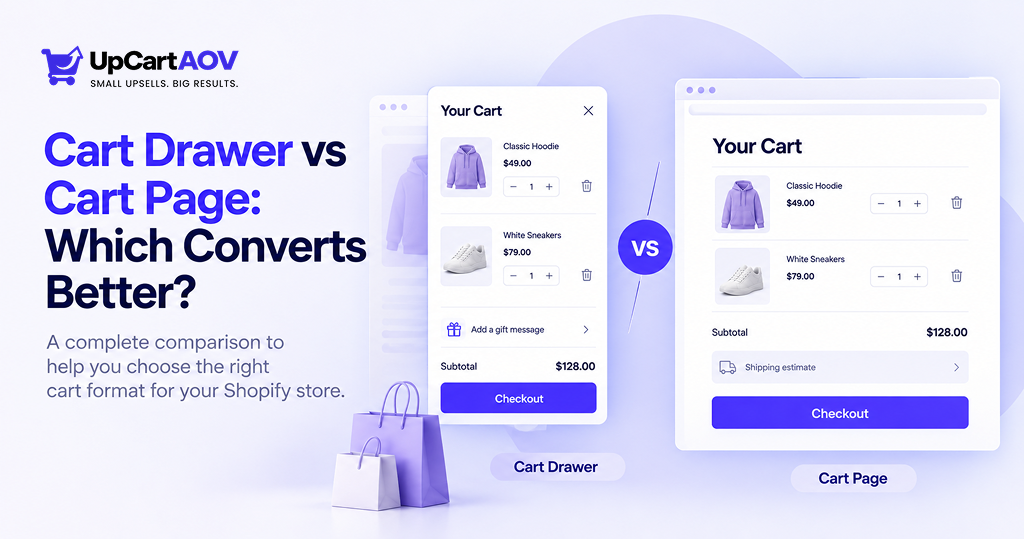
Working across different Shopify stores, I keep running into the same debate: cart drawer or cart page. Shopify store owners often assume one is simply better than the other, but in practice, there is no single right answer.
The best fit depends on your catalog, your average order value, how much of your traffic comes from mobile, and even how many items customers typically add before checking out. I have set up both formats for different clients, and I have also seen what happens when a Shopify store picks the wrong one for its business.
I’m Anurag Pandey, and I have been running ControlF5, a Shopify agency, for years now, working hands-on with Shopify stores of all sizes. So everything here comes from what I have actually seen work, not from theory.
Below, I have laid out how each option actually works, when to use it, and where Shopify stores usually go wrong with the setup.
What Is a Cart Drawer?
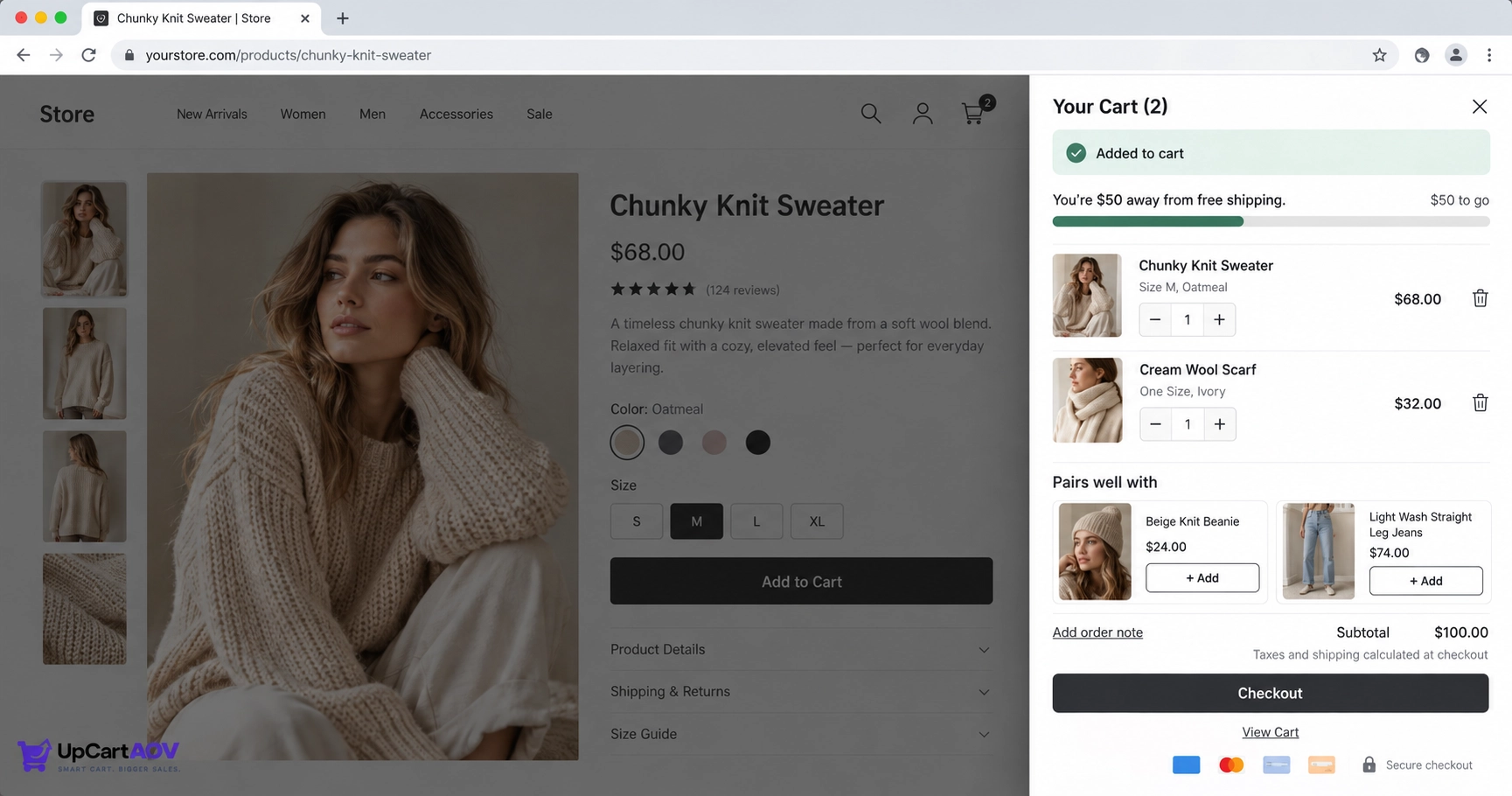
A Shopify cart drawer, sometimes called a slide out cart, mini cart, or Ajax cart, is a panel that slides in from the edge of the screen, usually the right side, the moment someone clicks “Add to Cart.”
It updates in the background without a full page reload, so the shopper’s current page stays exactly where it was, just dimmed behind the panel.
It usually opens automatically right after an item is added, and can also be reopened manually via a cart icon in the header, functioning more like a persistent summary than a separate destination.
What Is a Cart Page?
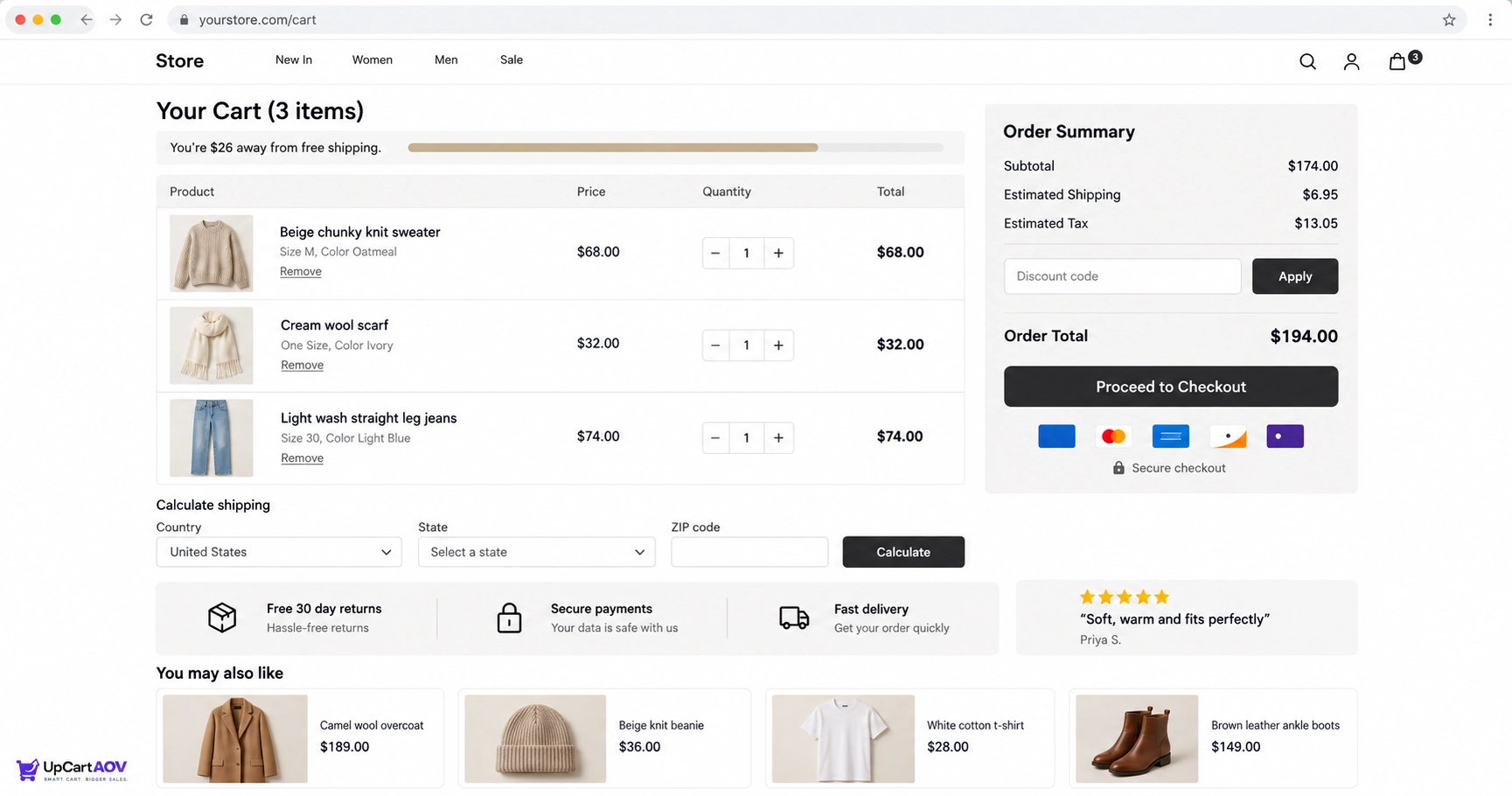
A cart page is a standalone, dedicated page, typically living at a fixed URL like yourstore.com/cart, that loads separately from the page a shopper was just browsing.
Clicking “Add to Cart” or “View Cart” triggers a genuine page navigation rather than a quick in place update, which means it has the full width and height of the browser to work with.
That extra room is usually what sets it apart functionally: space for a proper itemized table, larger product images, a shipping calculator, and trust building content like social proof, return policies or security badges.
Side by Side: Key Differences
| Factor | Cart Drawer | Cart Page |
| Navigation | Stays on current page | Loads a new page |
| Speed to checkout | Faster, fewer clicks | One extra step |
| Space for content | Limited | Generous |
| Works best for | High AOV, mobile heavy, simple catalog | High AOV, bundles, B2B |
| Upsell placement | Small, inline | Larger, dedicated section |
| Trust signals | Minimal | Room for badges, reviews, policy |
Pros and Cons of Cart Drawers vs Cart Pages
Cart Drawer
Pros
- Keeps Shopify shoppers on the same page, reducing the feeling of leaving the Shopify store
- Faster path to checkout with one less full page load
- Well suited to quick, low consideration purchases
- Feels natural on mobile, where a slide in panel matches app like behavior
Cons
- Limited space means fewer trust signals and less room for policy detail
- Can feel cramped for Shopify stores with large carts or bundles
- Some desktop shoppers may not immediately register that it opened
- Harder to show a full shipping or tax breakdown before checkout
Cart Page
Pros
- More room for trust badges, return policy detail and shipping estimators
- Better suited to complex carts, bundles or B2B orders
- Gives shoppers a clear moment to review everything before committing
- Easier to add a full cross sell section without feeling cramped
Cons
- Adds one more click and page load between “Add to Cart” and checkout
- Higher risk of drop off if the shopper gets distracted mid page load
- Feels slower on weak mobile connections compared to a drawer
Performance Insight: Cart Format and Conversion
| Format | Fact | Source |
| Cart Drawer | In one independent A/B test, a cart drawer lifted desktop conversion by 17% but dropped mobile conversion by 8.4% | CRO Weekly |
| Cart Drawer | A UX analysis found well optimized cart drawer upsells can reach up to a 20% add-to-cart rate on the upsell itself | Vervaunt |
| Cart Page | Adding shipping cost visibility specifically on the cart page produced a 15 to 23% reduction in abandonment | Growth Engines |
| Cart Page | Adding trust elements like a clear return policy or a real-time purchase indicator at the cart page stage is recommended to reduce pre-checkout hesitation | Build Grow Scale |
When to Use a Cart Drawer?
A cart drawer works best when you want to keep the shopping experience fast, simple, and focused on getting customers to checkout quickly.
- Simple, low-cost, low-consideration products: When customers can make a purchase decision quickly, a drawer keeps them moving toward checkout without adding a full page load.
- High mobile traffic: A cart drawer offers a faster, app-like experience and avoids an extra page load, which can be especially useful on mobile connections.
- Fewer steps to checkout: Opening the cart in a drawer lets shoppers review their items and continue to checkout without leaving the current page.
- Small orders and compact catalogs: When customers usually add only one or two products, a compact drawer can display everything without creating clutter.
When to Use a Cart Page?
A cart page is a better choice when shoppers need more space, information, and reassurance before completing their purchase.
- High-value or research-heavy purchases: A full cart page provides more space for shoppers to review expensive products and make a confident buying decision.
- Bundles, subscriptions, or complex orders: Multiple products, quantities, tiers, or subscription details are easier to manage on a full cart page.
- Heavy use of trust signals: A cart page gives you enough room to display reviews, return policies, payment information, and trust badges clearly.
For more on where badges work best, see my guide on trust badge placement across the product page, cart drawer and checkout.
- Carts with many line items: When shoppers often purchase several products, a full page prevents the cart experience from becoming overly scroll-heavy.
How to Add or Customize a Cart Drawer in Shopify?
You can add or customize a cart drawer in Shopify by using your theme’s built-in settings, a Shopify app, or custom development.
1. Check your Shopify theme settings first: Go to Theme Settings > Cart and see whether your current Shopify theme already includes a cart drawer option.
2. Use a Shopify app or custom development if needed: If your theme does not support a drawer, install a suitable Shopify app or have a developer build a custom solution.
Use UpCartAOV for added features: If your theme’s drawer is too plain, UpCartAOV adds features like upsells, progress bars and free gifts without touching theme code. You can turn each feature on or off separately, so you only add what your drawer actually needs.
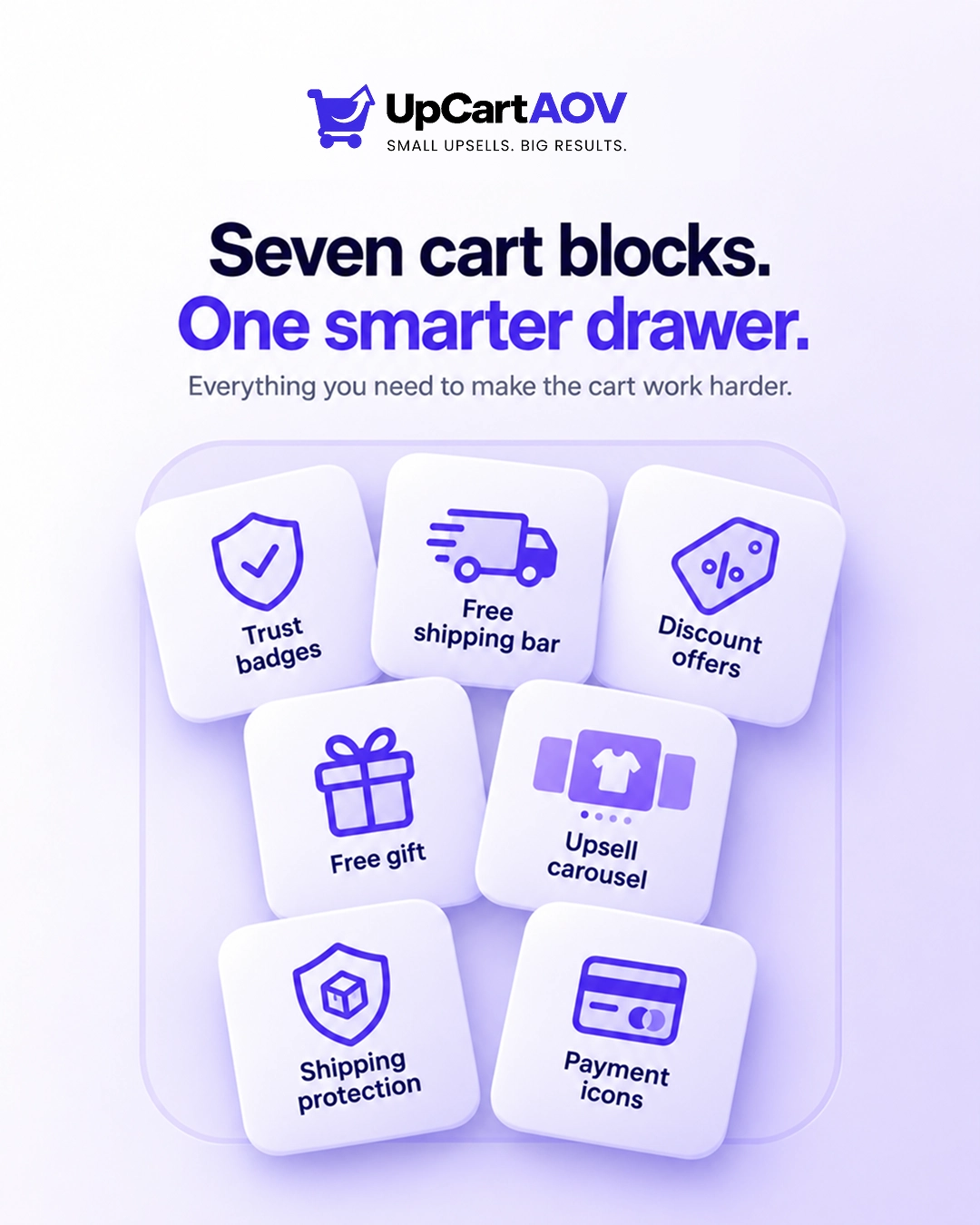
Add only the features that help the order: These are the features worth considering for your cart drawer:
- Free shipping and discount bar: A live progress bar that tells shoppers how much more to add to unlock free shipping or a percentage discount.
- Free gift with purchase: A gift product is added to the cart automatically at $0.00 once the shopper crosses your spend threshold, with no discount code needed.
- “You may also like” recommendations: A swipeable carousel of related products inside the drawer, so shoppers can add one more item before checkout.
- Shipping protection: A one-click add-on that covers orders against damage, loss or theft in transit.
- Order note: A simple field for gift messages or delivery instructions.
- Secure checkout badges: Payment icons like Visa, Mastercard, PayPal and Apple Pay shown right above the checkout button.
You don’t need every feature switched on at once. For a compact drawer, start with the progress bar, one recommendation carousel and the checkout badges. Add the rest only if the drawer still feels clean.
3. Add only essential features: Include useful elements like a shipping progress bar, limited upsells, or a discount field without overcrowding the drawer.
4. Test on mobile and desktop: Make sure the drawer opens smoothly, does not block important content, and keeps the checkout button easy to access.
5. Run an A/B test: Compare the drawer against your existing cart setup to determine which option performs better for your Shopify store.
If you’re unsure where to begin, I’ve broken down the full process in my guide on how to A/B test cart drawer layouts on Shopify, covering what to test and how to read the results.
How to Customize a Cart Page in Shopify?
Shopify lets you customize your cart page to improve usability, build trust, and create a smoother path to checkout.
- Open the Cart template: Go to Online Store > Themes > Customize and select the Cart template to start making changes.
- Use the extra space strategically: Add useful sections such as a shipping estimator, trust badges, or related AI product recommendations.
- Optimize mobile controls: Make quantity selectors and remove buttons large and easy to tap on smaller screens.
- Keep checkout easy to find: Ensure shoppers can quickly see and access the checkout button without scrolling through unnecessary content.
- Track cart page behavior: Review analytics regularly to identify where shoppers drop off and find opportunities to improve the checkout journey.
Where Shopify Stores Actually Get This Wrong?
Most Shopify stores don’t fail because they choose a cart drawer or cart page, but because they add unnecessary friction and poor design to the shopping experience.
- Burying the checkout button under too many upsells: Adding multiple upsell products inside a drawer can slow down the checkout process and remove its main advantage.
- Hiding the order total on a cart page: Shoppers should be able to quickly see what they will pay without scrolling past unnecessary promotional content.
- Showing costs too late: Displaying the subtotal and relevant shipping costs early helps reduce uncertainty before checkout.
- Forcing account creation before checkout: Requiring shoppers to create an account adds unnecessary friction and can increase cart abandonment.
- Never testing the alternative: The best shopify cart format depends on the Shopify store, so comparing a drawer and cart page through testing is better than relying on assumptions.
The drawer side alone has enough pitfalls for its own post, so if you’re going with a drawer, read my breakdown of Shopify cart drawer UX mistakes before you launch.
Conclusion
Choosing between a cart drawer and a cart page isn’t really about picking a trend, it’s about matching the format to how your customers shop. If your Shopify store sells low cost items and gets heavy mobile traffic, a drawer keeps things fast and simple.
If you’re dealing with bundles, subscriptions, or higher priced products, a full cart page gives shoppers the space and reassurance they need before checkout. The safest approach is to test both on your own Shopify store rather than assuming one is universally better.
Frequently asked questions (FAQs)
Question: Can a Shopify store use both a cart drawer and a cart page?
Answer: Yes, some Shopify stores keep a drawer for quick previews while still linking to a full cart page for customers who want more detail before checkout. This combination works well if you have a mix of simple and high value products in the same Shopify store.
Question: Does a cart drawer slow down my site?
Answer: Not usually, since it updates without a full page reload, a drawer often loads faster than navigating to a separate cart page. Just make sure the drawer itself isn’t overloaded with heavy images or scripts that slow it down.
Question: Which option is better for a Shopify store?
Answer: It depends on your catalog and traffic. Low cost, mobile heavy Shopify stores tend to do better with a drawer, while Shopify stores selling bundles or high value items usually benefit more from a full cart page. If you’re unsure, testing both with real traffic is the most reliable way to decide.
Question: Do I need a Shopify developer to add a cart drawer?
Answer: Not always. Many Shopify themes already include a built in cart drawer option, and apps are also available if your theme doesn’t support one. A developer only becomes necessary if you want a fully custom design or advanced upsell logic.
Question: Should I show shipping costs in the cart?
Answer: Yes, showing shipping and total costs early in the cart reduces surprises later and can lower cart abandonment. It also builds trust, since shoppers feel like there are no hidden charges waiting at checkout.