
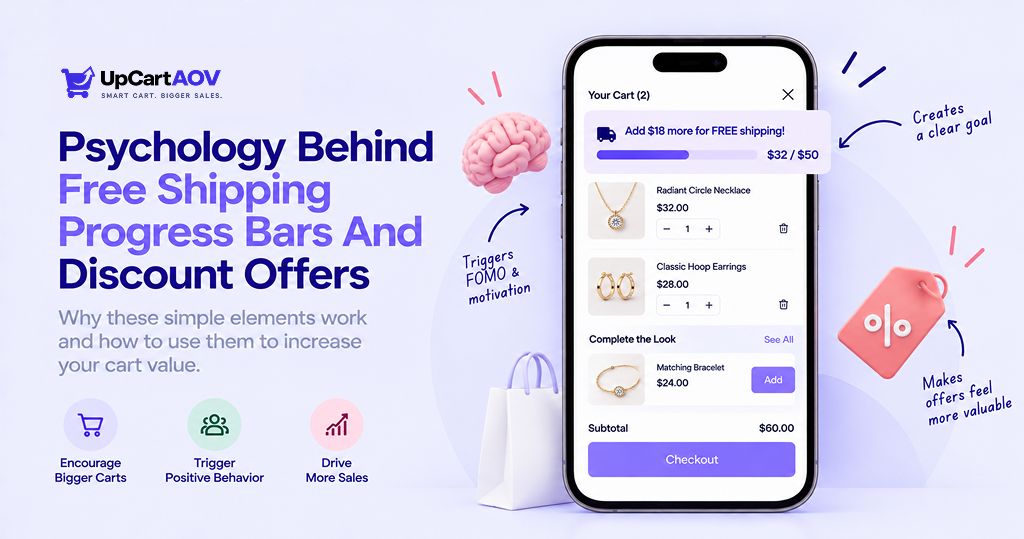
I still remember the first time I noticed a progress bar change the way I shopped. I was adding items to a cart and a small line at the top kept telling me how close I was to free shipping.
I ended up adding one more item just to complete that line. That small free shipping progress bar of color did more to influence my decision than any banner or popup on the page.
Free shipping progress bars are everywhere online, but very few shoppers stop to think about why they work so well.
In this post, I will break down how progress bars work, the psychology behind them, and how to use one on your Shopify store the right way.
What Is a Progress Bar?
A Shopify free shipping progress bar is a visual element that shows how far a person has come toward finishing a task or reaching a goal. It usually appears as a horizontal line, a circle, or a set of connected steps that fill up as the user moves closer to completion.
What does a progress bar look like?
Most progress bars fall into one of these visual formats:
- A horizontal bar that fills from left to right as a page loads or a form gets completed
- A circular ring that closes as a percentage increases, often used in fitness or learning apps
- A row of numbered steps connected by a line, common in checkout flows
- A threshold bar that shows spending needed to unlock a reward, such as free shipping

What Is A Progress Bar For?
At its core, a progress bar exists to reduce uncertainty. It answers a question the human brain naturally asks in any waiting or task based situation, which is simply how much is left. Without that answer, people tend to assume the worst, get impatient, or abandon the task altogether.
How Do Progress Bars Actually Work?
A Shopify free shipping progress bar works by running a small loop behind the scenes, over and over, every time something changes. That loop has four steps.
1. Track a value: The system keeps an eye on something measurable, such as items added to a cart, dollars spent, bytes uploaded, or steps completed in a form.
2. Compare it to a goal: That value gets checked against a fixed target, like a five thousand rupee free shipping minimum or a total of four checkout steps.
3. Convert the gap into a percentage: The system does simple math, current value divided by target value, to turn that comparison into a number the interface can use, such as sixty percent.
4. Redraw the bar: The interface updates the width of the fill, the position of a step marker, or the size of a ring, so the visual immediately reflects the new percentage.
This loop repeats every single time the tracked value changes, which is why a cart bar moves the instant an item is added, without needing a page refresh. On the shopper’s end, none of that math is visible.
All they see is a line growing wider or a step lighting up, and the brain reacts to that visual change directly. Sight processes movement faster than it processes numbers or sentences, so a shopper can glance at a bar for a fraction of a second and understand roughly where they stand, the same way a glance at a car’s fuel gauge tells a driver more in half a second than reading a percentage ever would.
This is also why a rough or approximate bar still works. The brain is reacting to the fact that the line moved, not auditing the math behind it.
A bar that jumps from fifty to sixty percent after one action creates a small sense of progress regardless of whether that ten percent was calculated precisely or estimated loosely by the system behind it.
The specific reasons that visible movement changes behavior, from motivation to mood to habit, is what the next section breaks down principle by principle.
Market Insight: What the Research Actually Shows
| Source | What They Found? |
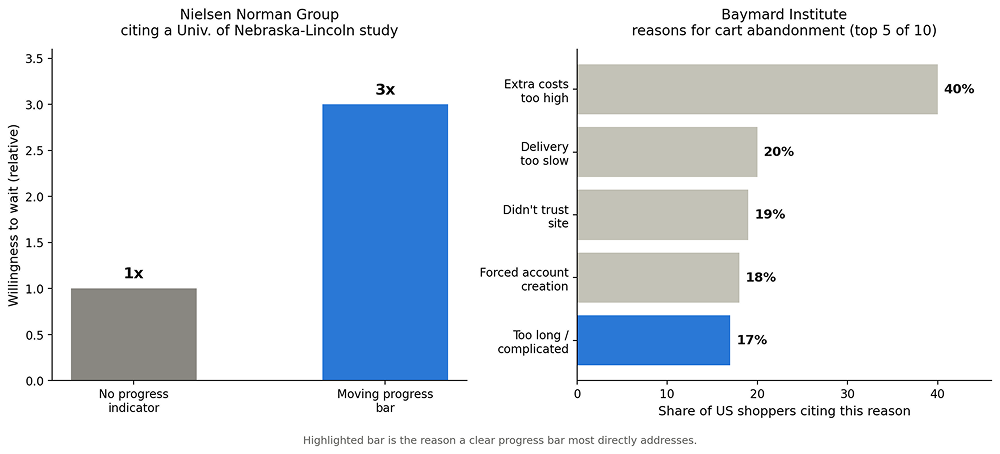
| Nielsen Norman Group, citing a University of Nebraska-Lincoln study | People shown a moving progress bar during a page load were willing to wait about three times longer than people shown no indicator at all |
| Baymard Institute, cart abandonment research | A too long or complicated checkout process is cited as a reason for leaving by 17 percent of US shoppers, one of the many documented causes behind cart abandonment |
The Core Psychological Principles
Several well documented psychological effects make up the psychology of progress bars and explain why they are such a strong tool in ecommerce design.
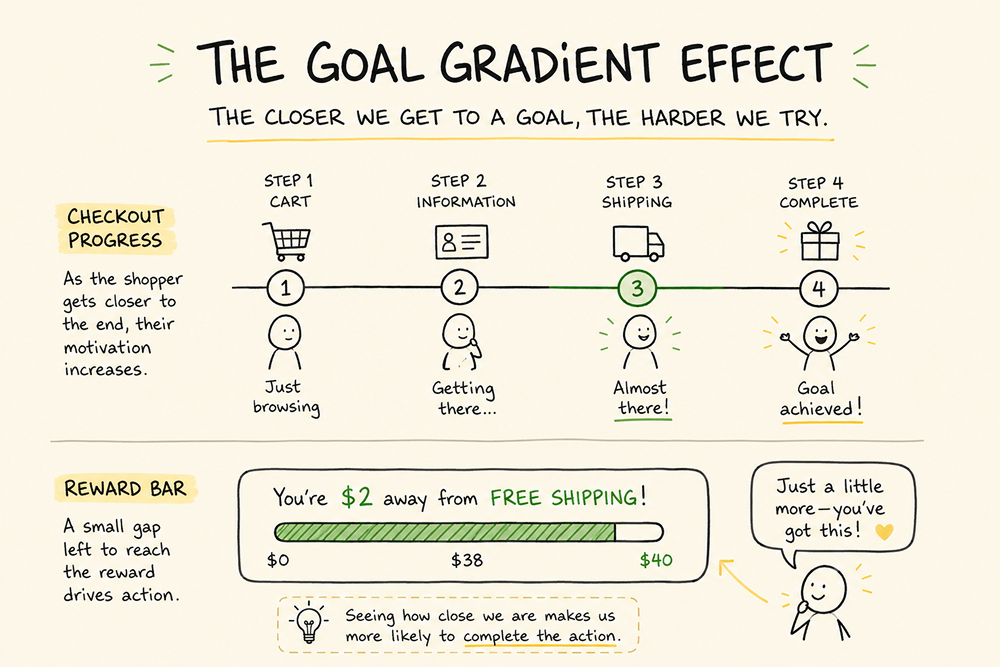
- Goal Gradient Effect, motivation rises as a person gets closer to a goal, such as a shopper on step three of four checkout moving faster to finish
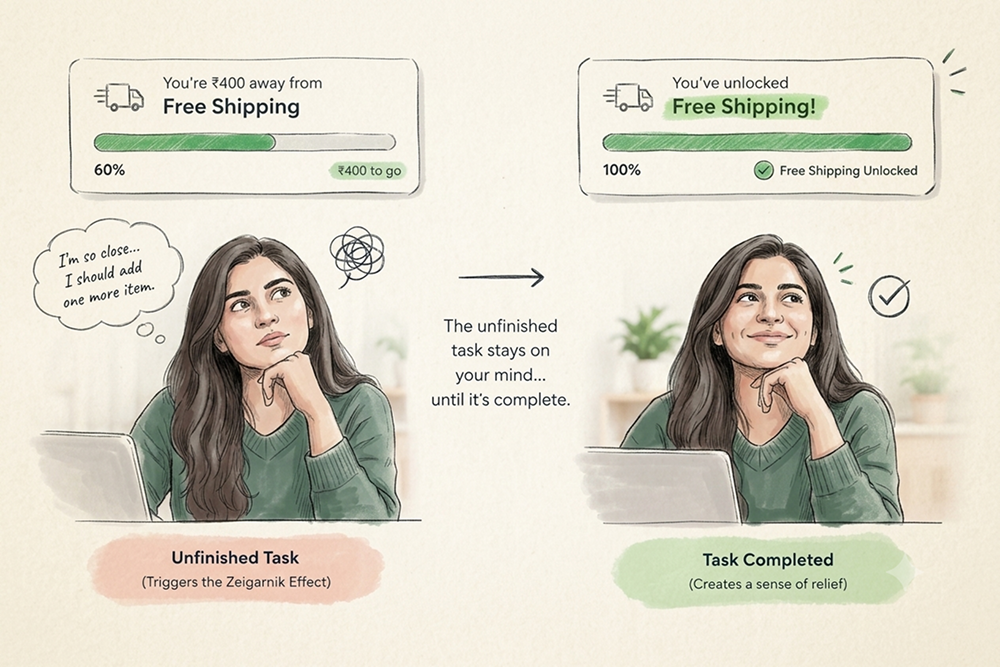
Zeigarnik Effect, the mind stays uneasy about a task left open even early on, such as a profile bar stuck at sixty percent feeling harder to ignore than one never started
- Dopamine Release, a visual reward like a fill or checkmark creates a small charge in the moment, often felt right before a bar hits one hundred percent rather than after
- Operant Conditioning, a rewarded action gets repeated on future visits, such as a shopper who hit a free shipping unlock before returning to chase it again
- Reduced Anxiety, tension eases during an active task once there is a visible endpoint, since not knowing how much is left keeps the mind mildly on edge while a visible endpoint gives it something concrete to hold onto, making a checkout form with a bar feel calmer to fill in, a clear case of how progress bars reduce user frustration
- Perceived vs Actual Wait Time, a passive wait feels shorter when there is something to watch, based on research from David Maister showing unoccupied and uncertain waits feel longer than occupied and known ones
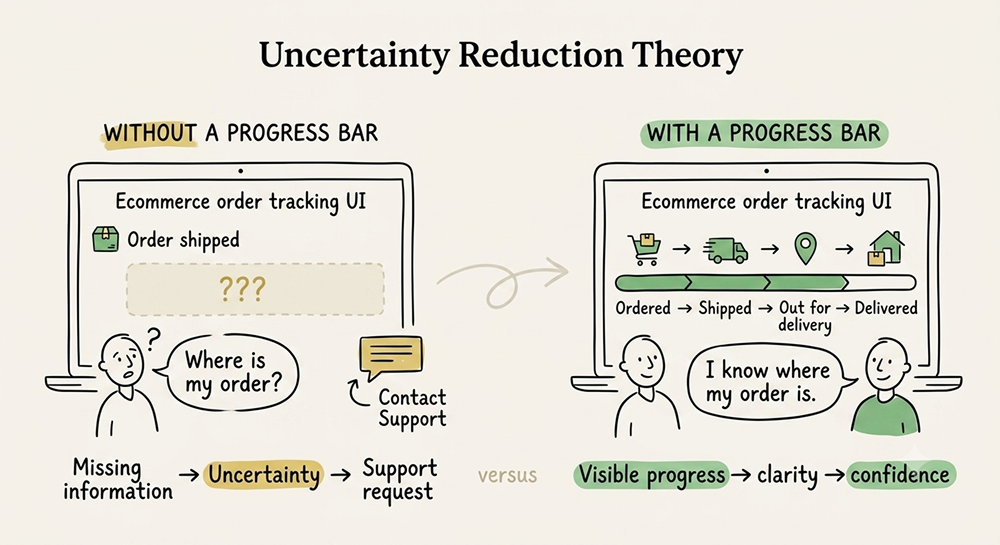
- Uncertainty Reduction Theory, missing information pushes people to actively seek answers elsewhere, which is why a missing order tracking bar often means more support tickets asking where an order is
Types of Progress Bars Used in Shopify Ecommerce
- Earlier I covered what a progress bar looks like in terms of shape. There is also a technical split worth knowing before getting into purpose.
| Type | What It Means? |
| Determinate bar | Tracks a known total against a known amount completed, such as three out of five checkout fields filled in, so the system can show an exact percentage |
| Indeterminate bar | Used when the system has no way to predict how long something will take, such as a payment being verified, so it only signals that something is happening rather than showing real progress |
Now sorting by purpose, since that is what decides where each type shows up on a store.
| Type | Where It Appears? | Main Psychological Driver |
| Checkout step bar | Cart to payment | Goal Gradient Effect |
| Free shipping threshold bar | Cart page | Zeigarnik Effect and loss aversion |
| Quantity discount bar | Product page | Goal Gradient Effect |
| Order tracking bar | Post purchase page or email | Uncertainty Reduction Theory |
| Profile completion bar | Account settings | Zeigarnik Effect |
| Page load bar | Any slow loading page | Perceived vs Actual Wait Time |
Progress Bar UI Design and Best Practices
Good progress bar ui design is not just about looks. It needs to reflect reality and support the user rather than confuse them. Some progress bar design best practices worth following include:
- Keep steps low: aim for three to four steps in a checkout flow so the process never looks longer than it feels
- Show real progress: the bar should match what is actually happening rather than jumping in ways that do not add up
- Use clear labels: something like step 2 of 3 works better than a vague word like loading
- Add subtle animation: a fill that moves smoothly feels more alive than one that snaps into place
- Keep contrast strong: color and text need to stay readable for users with low vision
- Avoid fake urgency: skip pairing a bar with a countdown timer unless that timer is genuine
- Test on mobile: thumb reach and screen space are tighter there, so spacing needs a separate check
Read more: How a Free Shipping Progress Bar Increases Cart Value?
Setting Up a Progress Bar on Your Shopify Store
If you run a Shopify store and want to add a progress bar, the process does not need to be complicated. Here is a simple way to approach it.
- Decide the goal first: a free shipping bar, a quantity discount bar, and a checkout step bar each serve a different purpose, so pick the one that matches your store’s biggest drop off point
- Check your theme settings: many modern Shopify themes already include a built in free shipping or cart progress bar option
- Use a lightweight app if needed: look for apps built specifically for progress or upsell bars rather than heavy all in one apps that slow down page speed
- Set realistic thresholds: a free shipping bar set too high will frustrate shoppers, while one set too low will not lift your average order value much
- Test across devices: check the bar on both desktop and mobile before launching, since spacing issues are common on smaller screens
- Track real numbers: measure cart abandonment and average order value before and after adding the bar so you have proof of its impact
A second reward after free shipping keeps the Goal Gradient Effect going. Here’s my guide on how to set up tiered free shipping thresholds in your Shopify cart drawer.
Why Progress Bars Are Good for Online Shopify Stores?
When used honestly, progress bars offer real business value beyond just looking nice on a page.
- Higher average order value: free shipping and quantity discount bars encourage ecommerce shoppers to add just a little more
- Lower cart abandonment: reducing uncertainty during checkout keeps more shoppers moving forward
- Fewer support tickets: order tracking bars answer the where is my order question before it gets asked
- More shopper trust: shoppers feel informed rather than left in the dark about what happens next
- Easier onboarding: first time visitors get guided through unfamiliar steps such as account creation or bundle building
The value comes from clarity, not from pressure. A shopify progress bar that misleads a shopper might boost a single sale but it tends to hurt repeat purchases and trust over time.
Conclusion
Shopify free shipping progress bars look simple, but there is a lot of psychology packed into that small strip of color. From the Goal Gradient Effect to the Zeigarnik Effect, these tiny design elements tap into how the human brain handles waiting, uncertainty, and the pull toward finishing what has already been started.
For ecommerce store owners, the lesson is not to add a progress bar everywhere possible. It is to add one where it genuinely helps the shopper understand where they stand, whether that is during checkout, while chasing a discount, or while waiting on a delivery. Used honestly, a progress bar becomes a small but powerful trust builder rather than just another design trend.
Frequently Asked Questions (FAQs)
Question: Can a progress bar increase cart abandonment instead of reducing it?
Answer: This can happen if it shows too many steps or moves in a way that does not match reality, since a bar with six or seven visible steps can make checkout look longer than it actually is.
Question: Should mobile stores use progress bars differently than desktop stores?
Answer: In most cases they should, since long bars with several labeled steps usually need to shrink into a shorter bar or a percentage label, and any tappable step should sit within easy thumb reach.
Question: Can having too many progress bars on one page overwhelm shoppers?
Answer: It often does, since stacking a free shipping bar, a quantity discount bar, and a checkout bar together creates visual noise, so it works better to keep one dominant bar per page.
Question: Can a progress bar work against a store if the checkout is genuinely long?
Answer: It can, since a bar cannot fix a checkout that truly needs seven or eight steps, it will only make an already long process feel more exposed, and the real fix in that case is shortening the flow itself rather than dressing it up with a bar.
Question: Does adding a progress bar too early in a flow reduce how well it works?
Answer: It often does, since a bar shown before a shopper has done anything yet has nothing to build on, the Goal Gradient Effect needs some initial movement to work with, which is why bars tend to work best once a person has already taken a first small action such as adding an item to the cart.

