
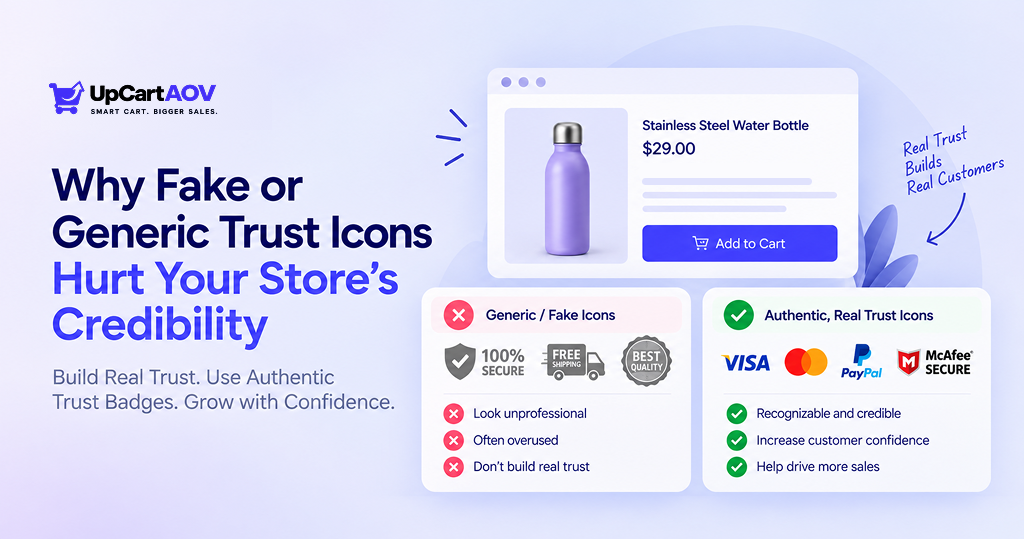
Every Shopify store owner has done it: dropped a badge, a seal, or an icon near the “Add to Cart” button simply because it “felt right.” Almost nobody stops to ask the real question: does this actually build trust, or does it just add clutter?
That exact question is what pushed me to build UpCartAOV, a Shopify app focused on turning the cart drawer into a real trust-building moment, not a decoration wall. I’m Anurag Padney, and before this, I spent 15+ years working with Shopify brands, building my own stores, then running ControlF5, an agency with 4,000+ completed projects and 150+ verified Clutch reviews. Along the way, I’ve audited hundreds of carts and checkouts, and one issue keeps repeating: trust badges that don’t actually earn trust.
My recommendation, after years of watching this play out: fake trust badges hurt ecommerce credibility more than having no badge at all. A missing badge is neutral. A fake one is a red flag waiting to be spotted.
This blog breaks down why that happens, how to check your own store, and what real trust signals look like instead, in simple language.
What Are Fake or Generic Trust Icons?
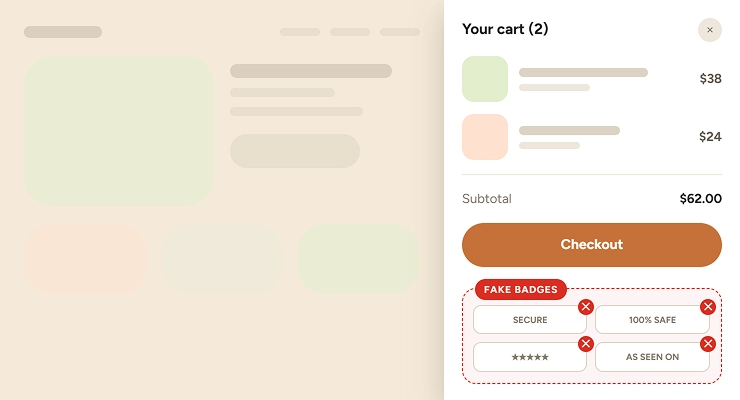
Not every badge is fake. But many are fabricated, expired, or just irrelevant filler. Here’s what usually falls into this category:
- Security seals you never licensed: Norton, McAfee, or “verified secure” icons with no real relationship to your store
- Payment logos for methods you don’t accept: showing Apple Pay or Amex when checkout doesn’t support them
- Vague “100% Secure” stickers: with no explanation of what’s guaranteed
- Static 5-star graphics: not linked to any real review platform
- “As Seen On” logos: for press mentions that never happened, or happened once, years ago
Each one looks harmless alone. They’re one of the most common ecommerce trust badge mistakes to avoid, because today’s shoppers are far more skeptical than they used to be.
Why Shoppers Notice Fake Security Badges
Shoppers don’t consciously analyze trust badges; they feel them. It’s a split-second gut check before checkout.
What flips that gut check from “safe” to “suspicious”:
- A badge that looks mismatched or outdated
- A security seal that doesn’t match the rest of the page’s quality
- A review count that never changes, visit after visit
- Payment icons that don’t match what checkout actually offers
The shopper may not know why it feels wrong. They just hesitate. And hesitation usually means an abandoned cart.
This is exactly why fake security badges hurt conversion rates. Nobody files a complaint. They just quietly close the tab.
The Shopper Trust Decision Flow
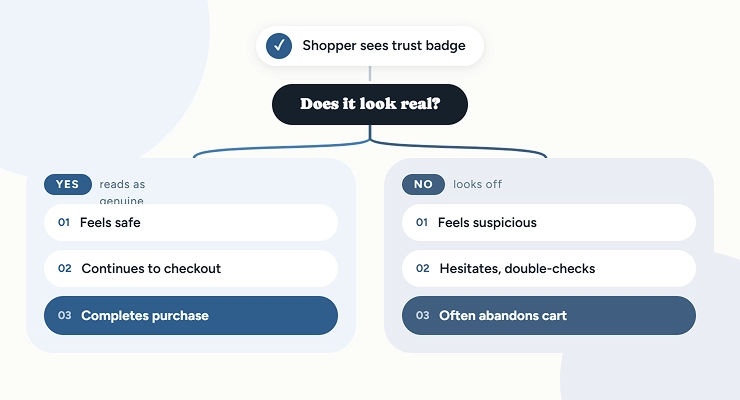
Stores with cluttered, unverifiable badges consistently convert worse than stores with fewer, but real, trust signals, even when everything else on the page is identical.
Why this compounds over repeat visits:
- Shoppers scroll back up to check a badge again, especially on a first-time purchase from a new brand
- If a badge looks the same as fifty other stores they’ve seen, it stops registering as a trust signal; it becomes visual noise
- Once shoppers treat your badges as noise, they start doubting the rest of the page too: your reviews, your policies, everything
How Fake Trust Badges Hurt Ecommerce Credibility
Here’s the damage broken down simply:
- It signals desperation, not confidence: A wall of irrelevant badges tells shoppers you’re compensating for something.
- It invites fact-checking: A “Verified Secure” badge that leads nowhere kills trust instantly.
- It creates mismatch: Polished product pages paired with copy-pasted badges feel inconsistent, and shoppers notice inconsistency.
- It compounds: One fake badge often makes shoppers scrutinize everything else, your reviews, your shipping claims, your return policy.
This is the real cost: generic trust icons reduce store trust for the entire storefront, not just the badge itself.
In several ControlF5 audits, simply removing fake or irrelevant badges and replacing them with 2-3 verified signals visibly improved checkout completion, without touching pricing or product pages.
Legal and Platform Risks of Misleading Trust Badges
This part matters more than most store owners realize.
- FTC rules: Misleading endorsement or certification claims count as deceptive advertising. A badge implying a certification or partnership that doesn’t exist can fall under this.
- Shopify’s policies: The platform has its own rules against misleading claims. Repeated violations can affect your store during a platform review.
- Payment network guidelines: Visa, Mastercard, and PayPal have branding rules. Showing their logo when you don’t support that payment method isn’t just misleading, it can violate their usage terms.
The takeaway: verified trust badges for Shopify stores are a compliance decision, not just a design one. If you can’t back a badge up, remove it.
One more thing to check: if you’re using a theme or app that bundled generic trust icons by default, don’t assume they’re accurate.
A lot of stores inherit these badges without ever choosing them, they came pre-installed in a template, and nobody went back to verify what they actually claim. It’s worth a five-minute check, because “we didn’t know it was there” isn’t a great answer if a shopper or a platform review flags it.
Authentic Trust Signals for Online Stores
The fix isn’t adding more badges; it’s using fewer, honest ones.
| Fake / Generic Signal | Authentic Alternative |
| Unlicensed security seal | Your actual SSL indicator + a short “encrypted checkout” line |
| Payment logos you don’t accept | Only the icons your checkout actually supports |
| Static “5.0 stars” graphic | Real, linked review count (e.g., “4.8 from 1,240 reviews”) |
| Vague “Money-Back Guarantee” | Specific policy line: “30-day returns, no questions asked” |
| Random “As Seen On” logos | Only current, verifiable press mentions with a working link |
| Bought/inflated Instagram follower count | Real engagement proof — actual comments, UGC reposts, or a “Shop the Feed” widget pulling live posts |
| Trustpilot widget with no visible score or stale reviews | Live Trustpilot embed showing current score + review count, linked to the actual profile |
| “10,000+ happy customers” (unverifiable) | Order count tied to something checkable — “12,483 orders shipped this year” with a live counter, or omit if you can’t back it |
| Generic “Verified Buyer” badge with no context | Reviews showing the actual product variant purchased + verified purchase date |
| Countdown timer that resets every visit (fake urgency) | Real inventory-based urgency — “Only 4 left in stock” pulled from actual stock levels |
| Stock photos of a “team” or “warehouse” | Real photos of your actual product, packaging, or fulfillment process |
| Vague “Featured in” strip with no dates | Press mentions with publish date + working link, or dropped once too old to be relevant |
| Fake live “X people viewing this” counter | Genuine social proof apps showing real, anonymized cart/purchase activity — or skip it entirely |
| Copy-pasted testimonials with stock avatars | Testimonials with first name, last initial, location, and (where possible) a customer-submitted photo |
| Generic “Free Shipping” banner with hidden thresholds | Exact terms stated upfront: “Free shipping on orders over $50” |
This is the real difference between generic trust seals vs real customer reviews: one is decoration, the other is checkable proof. Shoppers should be able to click, hover, or scroll and confirm your claim is real.
Where to Place Trust Badges for Better Checkout Trust
Placement matters as much as authenticity. A great trust signal in the wrong spot does nothing.
| Location | Best Trust Signal | Why It Works |
| Product page | Real review count + rating | Shoppers are still deciding whether to trust the product |
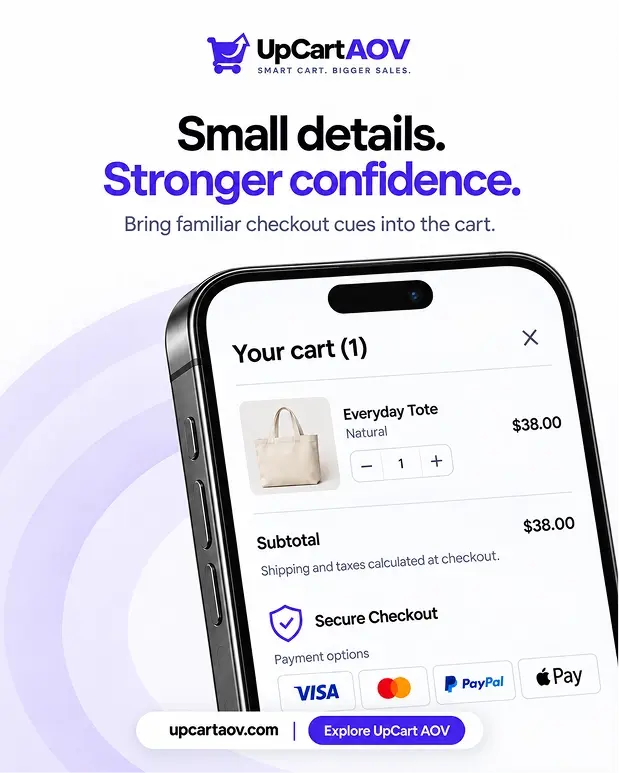
| Cart drawer | Verified payment icons + secure checkout note | Last moment of hesitation before checkout |
| Checkout page | SSL/security note near payment fields | Reduces last-second card-entry anxiety |
| Homepage/footer | Specific return & shipping policy links | Builds baseline credibility for new visitors |
Trust Signal Placement Flow
| Homepage / Footer -> Policy Links (Returns, Shipping) | Product Page -> Real Reviews & Ratings | Cart Drawer -> Verified Payment Icons + Secure Checkout Note | Checkout Page -> SSL / Security Confirmation | Order Completed |
This is how to improve customer trust at checkout without redesigning your whole store, right signal, right place, nothing extra.
Dynamic cues also beat static images. A live shipping progress bar or real-time cart update feels more trustworthy than a static badge, simply because shoppers can see it actually working.
How to Audit Your Store’s Trust Badges
Run through this checklist, it takes under 30 minutes:
| Question | If “No,” Fix It By |
| Does this badge link to a verifiable source? | Remove it or add a working link |
| Do payment icons match what checkout accepts? | Update to only show accepted methods |
| Is the review count real and current? | Link directly to your review platform |
| Does the security badge match a service you use? | Replace with your actual SSL/security provider |
| Would this badge survive a shopper clicking it? | If not, take it down |
This single exercise resolves most ecommerce trust badge mistakes to avoid.
Real Example: Fixing Trust Badges the Right Way
A skincare store I audited made four small changes:
- Removed an unlicensed security badge
- Replaced a static “5 stars” graphic with a real, linked review count
- Updated cart drawer payment icons to match actual checkout options
- Added one line: “Secure checkout — SSL encrypted”
No pricing changes. No new ads. Just honest trust signals. Results:
- Cart abandonment dropped
- “Is this site legit?” support emails, a pattern the founder hadn’t even noticed, dropped too
Why it worked: the badges had been sitting there for over a year, added once during a quick theme setup and never revisited. Nobody on the team had looked at them since.
That’s usually how fake trust badges end up on a store in the first place, not out of dishonesty, but out of a “set it and forget it” habit that quietly costs conversions every single day it goes unchecked.
Conclusion
Every trust badge is a small promise: “you can believe this.” The moment a shopper senses that promise is false, your store’s credibility takes the hit with it.
You don’t need more badges, you need honest ones, placed where they reduce hesitation: product page, cart drawer, checkout.
If you want your Shopify cart drawer to show real, verified trust signals automatically, that’s exactly what UpCartAOV’s Secure Checkout Badges block is built for.
FAQs
Question: What is the biggest mistake stores make with trust badges?
Answer: Using badges for services or certifications they don’t actually have, like security seals or payment icons that don’t match what’s really offered at checkout.
Question: Do trust badges really affect conversion rates?
Answer: Yes. Authentic, relevant trust badges reduce checkout hesitation, while fake or mismatched ones increase cart abandonment, even if shoppers can’t explain exactly why.
Question: Are fake trust badges illegal?
Answer: They can violate FTC guidelines on deceptive advertising and may breach Shopify’s or payment networks’ branding policies, especially if used repeatedly or deliberately.
Question: How many trust badges should a store display?
Answer: Fewer is better. Two or three verified, relevant signals placed at the right moments outperform a cluttered wall of generic icons.
Question: What’s the fastest way to fix trust badges on my store?
Answer: Run the audit checklist in this post, check if each badge links to something real, matches your actual services, and would survive a shopper clicking on it.

